WordPress Redirecting to “Play and Learn” or “Click Allow”? Check Your Theme Headers Now

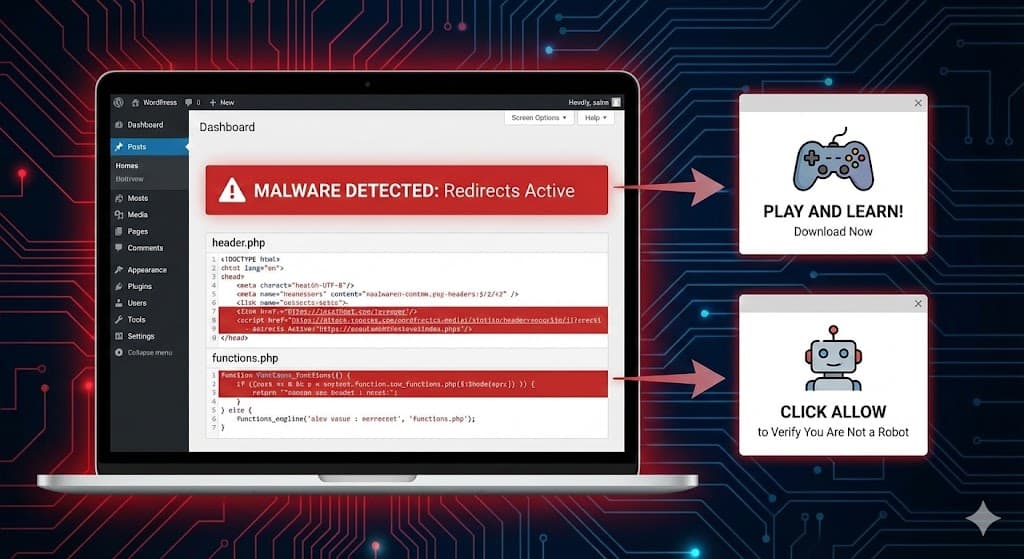
You open your website, and for a split second, it looks normal. Then, the screen flashes, and you are suddenly redirected to a spam site asking you to “Click Allow to Verify You Are Not a Robot” or forcing a download for “Play and Learn” apps.

You check your plugins. You check your settings. Everything looks fine.
The problem isn’t a setting—it is a sophisticated piece of malware hiding inside your website’s most critical files: header.php, footer.php, or even the core index.php.
This guide covers the “File-Based” variant of the simplecopseholding.com malware, which we are seeing spike this week.

The Symptoms: “Secret” Redirects
This malware is designed to be invisible to you (the site owner). It uses cookies and “User-Agent” detection to hide from logged-in administrators.
- Admins: See a normal site.
- Visitors (especially on mobile): Are redirected to scam domains like
secretplans.discoveryment.my.id,exovandria.shop, orsimplecopseholding.com.
The Code: What to Look For
Unlike the database variant we discussed previously, this version injects itself directly into your theme files.
Based on recent scans, the code looks like a harmless font loader or a performance optimization script. Do not be fooled.
Look for this specific block in your code:
<script>
(function() {
    var wf = document.createElement('script');
    wf.src = 'https://ajax.googleapis.com/ajax/libs/webfont/1.5.3/webfont.js';
    wf.type = 'text/javascript';
    wf.async = 'true';
    var s = document.getElementsByTagName('script')[0];
    s.parentNode.insertBefore(wf, s);
})();
</script>
<link rel='dns-prefetch' href='//simplecopseholding.com' />
Why this is dangerous:
- The Decoy: It loads a legitimate
webfont.jsfrom Google to look “safe” to security scanners. - The Payload: The
dns-prefetchtag forsimplecopseholding.comis the red flag. It tells the browser to secretly prepare a connection to the hacker’s server, which then triggers the redirect.
⚠️ IMPORTANT:
If you see a bright red “Dangerous Site Ahead” warning in Chrome, Google has already flagged your site. You must remove the malware immediately to stop losing traffic.
How to Remove the Malware (File-by-File)
You need to check four specific locations where this malware loves to hide.
1. Check header.php (Most Common)
This file runs on every single page of your site.
- How to fix: Go to Appearance > Theme File Editor and select Theme Header (header.php).
- What to do: Look for the code block shown above, usually right before the
</head>tag. Delete the script and thedns-prefetchline.
2. Check functions.php (The “Persisting” Infection)
If you delete the code from the header but it comes back instantly, it is hiding in your functions.php.
- The Trick: The malware adds a “hook” (like
wp_head) that automatically writes the virus back into your pages every time they load. - What to do: Open
functions.php. Look for strange functions with random names (e.g.,function x8s7_load_fonts()) that containwp_head. If you seesimplecopseholdinginside, delete the entire function.
3. Check footer.php
Hackers know people check the header, so they sometimes move the code to the very bottom.
- What to do: Open Theme Footer (footer.php) and check just before the
</body>tag.
4. Check the Core index.php
If the redirect happens even when you switch themes, the malware is in the root of your WordPress installation.
- Action: Connect via FTP/File Manager. Open the
index.phpfile in your main folder. - Normal WordPress index.php: It should only be about 2-3 lines of code.
- Infected index.php: If you see a giant wall of JavaScript code at the top of this file, delete the malicious code immediately.
Why Does It Keep Coming Back?
If you clean these files and the virus returns within minutes, you likely have a Backdoor File elsewhere on your server that is “healing” the virus.
Common backdoor filenames we’ve seen with this attack:
wp-content/themes/your-theme/db.phpwp-includes/css/style.phpwp-admin/user-login.php
Can’t Find the Code?
This malware is known for “obfuscation” (scrambling its code to look like random letters). If you are seeing the redirect but can’t find the file responsible, I can manually trace the infection source and remove the backdoor preventing re-infection.
FAQs
What is the “Play and Learn” redirect?
This is a subscription scam. The malware redirects mobile users to a page that tries to trick them into subscribing to a daily paid service (e.g., “5.05 BDT Validity 1 Days”).
Why does my site say “Dangerous” in Chrome?
Google Safe Browsing detects the redirect pattern. Once flagged, visitors will see a big red warning screen. You must remove the malware and request a review in Google Search Console to clear this.
Is it safe to just restore a backup?
Maybe, but be careful. If your backup is from 3 days ago, but the hacker installed the backdoor 2 weeks ago, you will just be restoring the virus. It is safer to clean the current files.

