How We Removed a “Cloudflare” Redirect Virus & Massive SEO Spam Injection from a Hacked WordPress Site

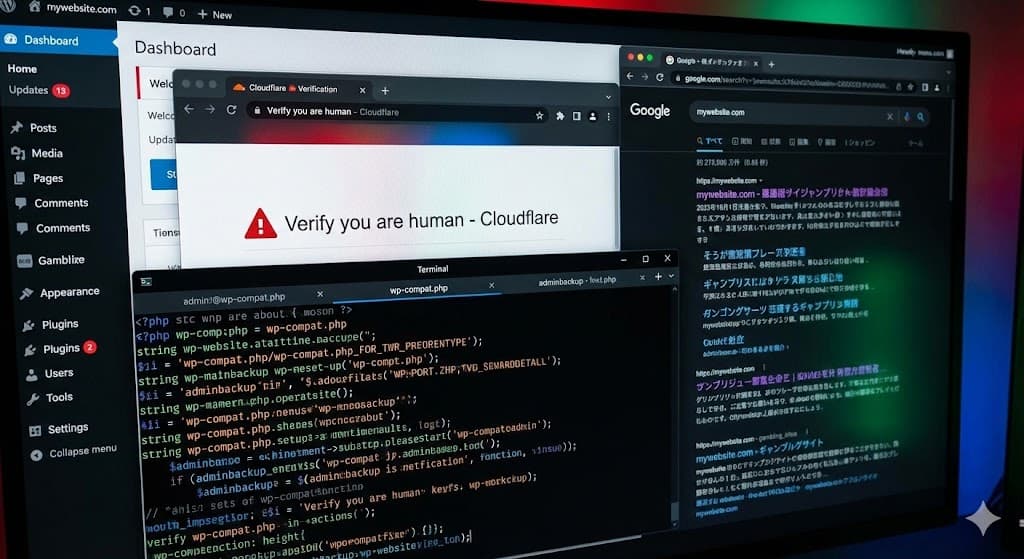
We recently worked on a WordPress site that had a serious problem. To the owner, the site looked fine. But to Google and new visitors, it was completely broken.
Visitors were being sent to a fake “Cloudflare Verification” page, and Google was indexing thousands of spam links for illegal gambling sites. This is a very common but advanced type of hack.
In this post, I will explain exactly what we found. I will break down the malicious files (wp-compat.php, OperationGraph.php, and main.php) and show you the steps we took to clean the site. If you have a WordPress site, this guide will help you understand how hackers hide in your system.
1. The Problem: How We Detected the Hack
The client contacted us because their traffic had dropped significantly. They also received complaints that their site was “unsafe.”
When we started our investigation, we found three main symptoms.
Symptom A: The Fake Cloudflare Page
Occasionally, when we tried to visit the site, we were redirected to a page that asked us to “Verify you are human.”
It looked like a standard security check from Cloudflare. However, when we looked at the URL bar, the address was not cloudflare.com. It was a fake page hosted on the client’s own website.
Why hackers do this:
This is a phishing trap. If you click the “Verify” button, the script often tries to install a virus on your computer or tricks you into allowing browser notifications (which they use to send you spam ads later).
Symptom B: Hidden SEO Spam (The Source Code)
When we looked at the website normally, the footer looked clean. But hackers are smart—they know that if they put spam links where you can see them, you will delete them.
We right-clicked the page and selected “View Page Source.”
At the very bottom of the HTML code, we found thousands of links. They linked to:
- “Bahsegel” (Betting/Gambling sites)
- Crypto scams
- Adult content
The hackers used a simple trick to hide these links from humans. They used CSS code to push the links far off the screen:
<div style="position:absolute; left:-11738px;">
<a href="...">Bahsegel 2025</a>
</div>
By setting the position to -11738px, the links are physically located miles to the left of your monitor. You can’t see them, but Google’s bots read the code, not the screen. Google sees these links, thinks your site is promoting illegal gambling, and penalizes your search rankings.

Symptom C: Strange Plugins
We logged into the hosting File Manager. In the /wp-content/plugins/ folder, we saw many folders. Most were real, but three stood out because they had generic, “boring” names that didn’t match any known plugin.
2. Analyzing the Malware: The “Fake Plugin” Trio
We downloaded the suspicious files to analyze them. The hackers installed three specific scripts. Each one had a specific job.
Malware File #1: The Ghost Admin Creator
- File Name:
wp-compat.php - Fake Name: WP Compatibility Patch
- Location:
/wp-content/plugins/wp-compat/
This file is very dangerous. Its job is to make sure the hackers always have an administrator account, even if you delete them.
What the code does:
The code claims to be a “Compatibility Patch” to fix issues with WordPress. This is a lie to make you afraid to delete it.
Inside the code, we found this:
$params = array(
    'user_login' => 'adminbackup',
    'user_pass'  => 'QetmUvqCTs',
    'role'       => 'administrator',
    'user_email' => 'adminbackup@wordpress.org'
);
This script runs every time the website loads. It checks if a user named adminbackup exists. If you delete this user, the script immediately recreates it with the password QetmUvqCTs.

How it stays invisible:
The most clever part of this script is that it hides the user from the WordPress Dashboard.
It uses a command called pre_user_query. This command tells WordPress: “When you list the users in the dashboard, do not show the user ID associated with adminbackup.”
So, you could look at your Users list and see 3 legitimate admins. But in reality, there are 4 admins. The 4th one is the hacker, and they are invisible to you.
Malware File #2: The Hidden Backdoor
- File Name:
OperationGraph.php - Fake Name: OperationGraph
- Location:
/wp-content/plugins/woocommerce-page-homepage/
This file was located in a folder that sounded real (woocommerce-page-homepage), but it was actually a “backdoor.” A backdoor is a script that lets hackers send commands to your website remotely.
What the code does:
The code in this file was “obfuscated.” This means the hackers wrote it in a way that is impossible for humans to read easily.
It looked like this:
goto r9Ie9y353w0aV7bK;
$this->seed = md5(DB_PASSWORD . AUTH_SALT);
It uses chaotic jumps (goto commands) and weird codes. This script connects your website to a “Command and Control” server. The hackers can send a signal to this script to tell your website to do anything they want, such as:
- Download more viruses.
- Delete your files.
- Send spam emails.
It also saves its settings in your database (the wp_options table) so that even if you delete the file, the settings remain.

Malware File #3: The Spam Generator
- File Name:
main.php - Fake Name: Advanced Server Response Handler
- Location:
/wp-content/plugins/easy-library-web-demo-1/
This script was responsible for the SEO spam links we found in the source code.
What the code does:
This script turns your website into a “Zombie” that works for the hackers. It uses a technique called Cloaking.
Cloaking means showing one version of the site to real humans and a different version to search engines (like Google or Bing).
- Detection: When someone visits your site, the script checks who they are. It has a list of IP addresses for Google, Bing, and Yandex bots.
- The Switch:
- If you are a human: It shows the normal site (or the fake Cloudflare redirect).
- If you are Googlebot: It connects to a hacker website (
pasteyourlinks.online), downloads a list of spam links, and inserts them into your page.
This is why the site owner often doesn’t realize they are hacked. They browse the site and see nothing wrong. But Google browses the site and sees thousands of links to “Casino” and “Betting.”
Clearing the Cache:
We also noticed this script commands your caching plugins to clear themselves.
if (function_exists('rocket_clean_domain')) {
    rocket_clean_domain();
}
It clears WP Rocket, LiteSpeed, and W3 Total Cache. Why? Because if your site is cached, the spam links might not show up immediately. The hackers want the spam to be live instantly.

3. Why This “Japanese Keyword Hack” Matters
In the SEO world, this is often called the “Japanese Keyword Hack” or “Pharma Hack.” Even though the links in this case were for betting (“Bahsegel”), the principle is the same.
Hackers hack legitimate sites (like yours) because your site has “Authority.” Google trusts your site. By putting their links on your site, they trick Google into thinking their illegal gambling sites are trusted too.
The Consequences for You:
- Blacklisting: Google will eventually flag your site as “Deceptive.” Users will see a big red warning screen before they can enter your site.
- SEO Loss: You will lose your rankings. If you sell shoes, but Google thinks you sell gambling links, you won’t appear in search results for shoes anymore.
- Ad Suspension: If you run Google Ads or Facebook Ads, your accounts will be suspended because the destination URL is infected.
4. Step-by-Step Guide: How We Cleaned the Site
Fixing this is not as simple as clicking “Delete.” Because the malware creates users and hides in the database, you have to follow a strict process.
Here is exactly what we did.
Step 1: Maintenance Mode
First, we put the site in maintenance mode. We did this so users wouldn’t get redirected to the fake Cloudflare scam page while we were working.
Step 2: Clean the File System
We accessed the site using FTP (File Transfer Protocol). You can also use the File Manager in cPanel.
We went to /wp-content/plugins/ and deleted the three malicious folders:
wp-compatwoocommerce-page-homepageeasy-library-web-demo-1
Important: We checked the dates. The legitimate plugins were all modified months ago. The malicious folders were modified very recently. This is a good way to spot fake files.
Step 3: Clean the Database (Very Important)
This is the step most people miss. If you don’t do this, the hack will come back.
We opened phpMyAdmin from the hosting dashboard.
A. Delete the Ghost User
We opened the wp_users table. We saw the user adminbackup. We deleted that row entirely.
B. Delete Hidden Options
We opened the wp_options table. This table stores all your WordPress settings.
We searched for _pre_user_id. This is the setting the malware used to hide the admin ID. We deleted it.
We also searched for nitro_data and other weird entries created by the OperationGraph plugin and deleted them.
Step 4: Scan with Wordfence
After manually cleaning the obvious files, we installed the Wordfence Security plugin.
We ran a “High Sensitivity” scan. The scanner found two more files hidden in the /wp-content/uploads/ folder. They were named image.png but were actually PHP scripts. Hackers often hide backdoors in the uploads folder because it is the one folder that is “writable” by the server.
Step 5: Check “Must-Use” Plugins
We checked the /wp-content/mu-plugins/ folder. “MU Plugins” are special plugins that run automatically and cannot be turned off from the dashboard. Hackers love this folder. We found a small loader script there and deleted it.
Step 6: Fix the SEO (Google Search Console)
The site was clean, but Google still had the spam links in its memory.
- We logged into Google Search Console.
- We used the Removals Tool to temporarily block the spammy URLs.
- We submitted the sitemap again.
- We used the “Inspect URL” tool on the homepage and requested indexing. This tells Google: “The site is clean now, please look again.”
5. Prevention: How to Stop This From Happening Again
The entry point for this hack was an outdated plugin. The client had a “Slider” plugin that they hadn’t updated in 2 years. Hackers used a known security hole in that plugin to upload the first file.
Here is your checklist to stay safe:
- 1. Update Everything, Always: WordPress Core, themes, and plugins must be updated. Old software is the #1 way hackers get in.
- 2. Turn off File Editing: You can add a simple line of code to your
wp-config.phpfile:
define('DISALLOW_FILE_EDIT', true);
This stops anyone (including hackers) from editing your plugin files from inside the WordPress dashboard. - 3. Use a Web Application Firewall (WAF): A firewall blocks bad traffic before it reaches your site. We recommend using Cloudflare (the real one) or the Wordfence Premium firewall.
- 4. Change Your Passwords: After a hack, you must assume every password was stolen. We changed the database password, the FTP password, and all WordPress admin passwords.
- 5. Check User Accounts Regularly: Once a month, go to your “Users” tab. If you see anyone you don’t recognize, delete them immediately.
6. Frequently Asked Questions (FAQs)
Q: Can I just restore a backup?
A: Probably not. These viruses are designed to sit quietly for months (“incubation period”). If you restore a backup from last week, you are likely just restoring the virus. You need to clean the current files to be sure.
Q: Why do I see “Bahsegel” or Japanese characters in my search results?
A: This is the SEO spam injection. The hacker’s script (main.php) specifically showed these words to Google to boost the ranking of their gambling sites. It will take a few weeks for Google to clear them after you fix the site.
Q: What is wp-compat.php?
A: It is a fake plugin file used by hackers. It pretends to be a WordPress compatibility patch, but it actually creates a hidden administrator user so the hacker can always access your site.
Q: Is my site safe to visit now?
A: If you have followed the steps above (removed files, cleaned database, scanned with Wordfence), yes. However, you should clear your browser cache to stop seeing the old redirected pages.
Summary
Hackers are getting smarter. They don’t just break your site anymore; they use it to make money. They use fake plugins like wp-compat and OperationGraph to hide tracks and main.php to serve spam.
By understanding how these files work, you can spot them early. Always look for plugins you didn’t install, users you didn’t create, and strange links in your source code.
If you found this case study helpful, or if you are currently dealing with a hacked site, leave a comment below.

